
Product definition
Turned the broad problem into users, workflows, priorities, screens, trust requirements, and a focused first release.
Scope and product routePinglo brings lost-and-found reports, possible matches, private claim checks and safer returns into one service across iPhone and web. A4T Studio shaped the product, identity, delivery, launch and continued operation.

When an item is lost or found, information is spread across venues, social posts, messages, and informal handovers. People may not know where to report it, how to identify a genuine match, or how to arrange a safe return.
Pinglo was created to organise those steps across a phone or browser, while giving campuses, venues, and workplaces their own private feed.
Pinglo is an A4T Studio venture. The work therefore continued beyond a prototype or design file into the practical needs of a public service.
Turned the broad problem into users, workflows, priorities, screens, trust requirements, and a focused first release.
Scope and product routeDesigned reporting, discovery, sightings, claims, messaging, profiles, community feeds, and safety journeys around clear everyday actions.
Working interaction systemManaged the iPhone and browser builds, shared backend, live synchronisation, testing, release preparation, fixes, and product changes.
Live iOS and web productCreated the visual identity, App Store presentation, product website, partnership route, support information, and trust pages.
Recognisable public presencePrepared the App Store listing, product materials, policies, support routes, and release checks.
Public App Store releaseContinues to review the live product, plan improvements, support users, and manage future releases.
Active product operationThese iPhone screens document the feed, reporting, claim checks and messages. Interfaces continue to evolve; the App Store and live browser app show the latest release.
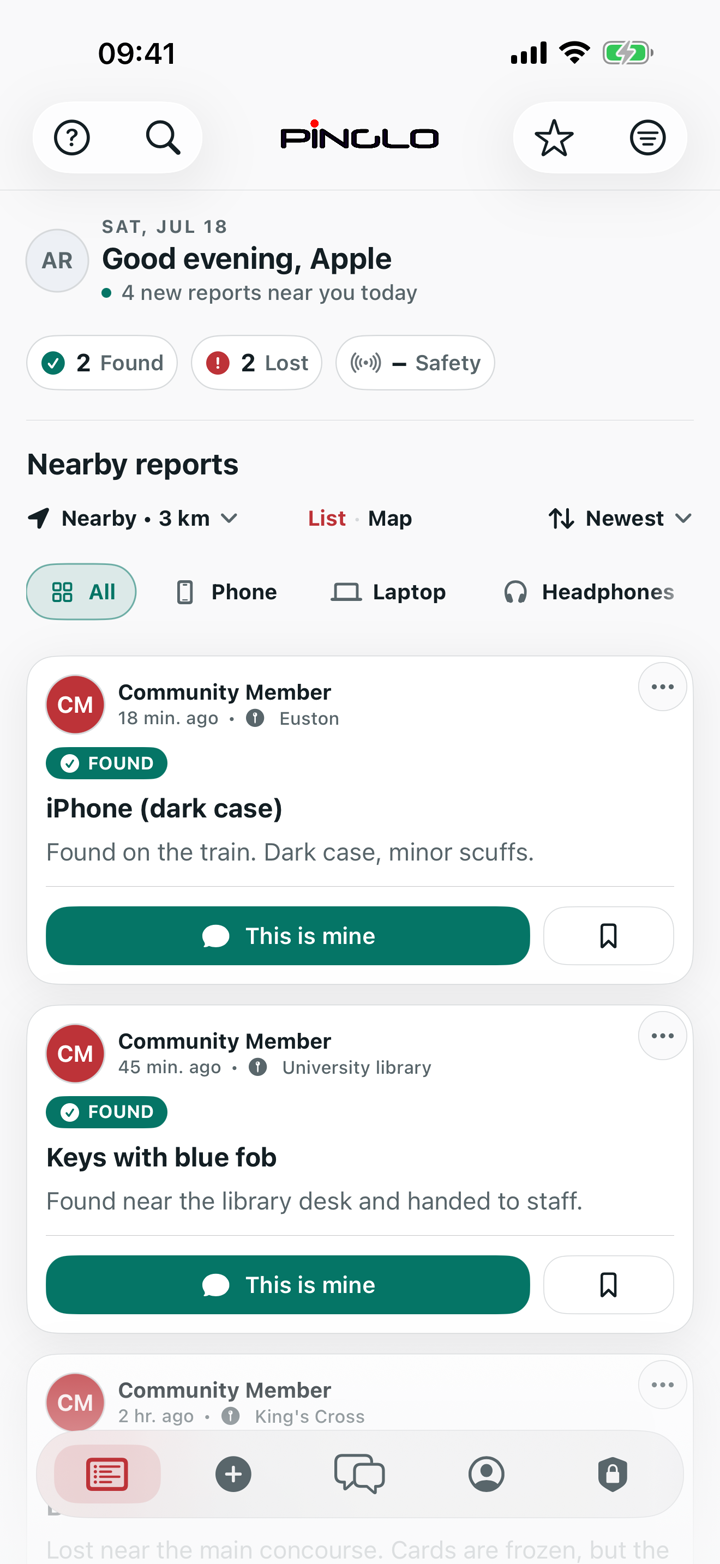
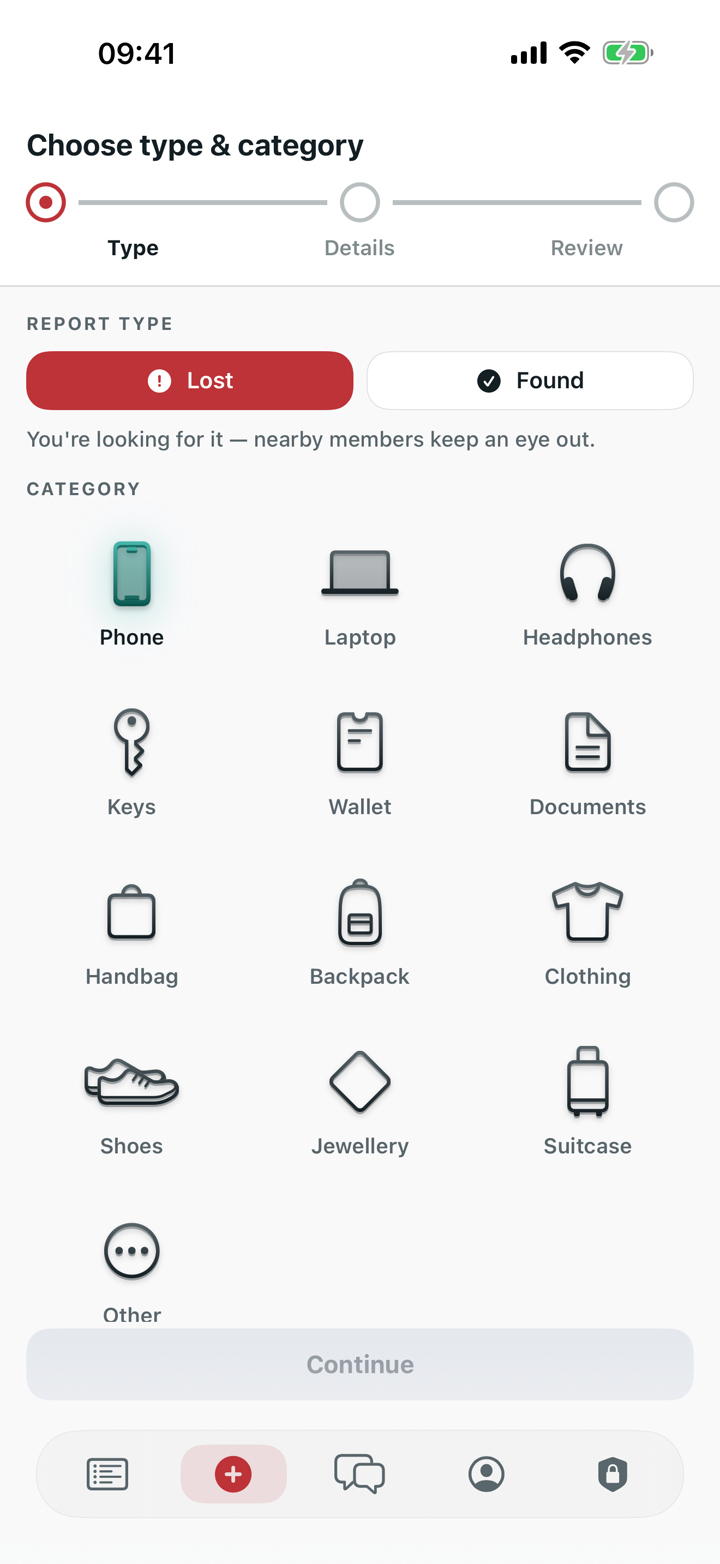
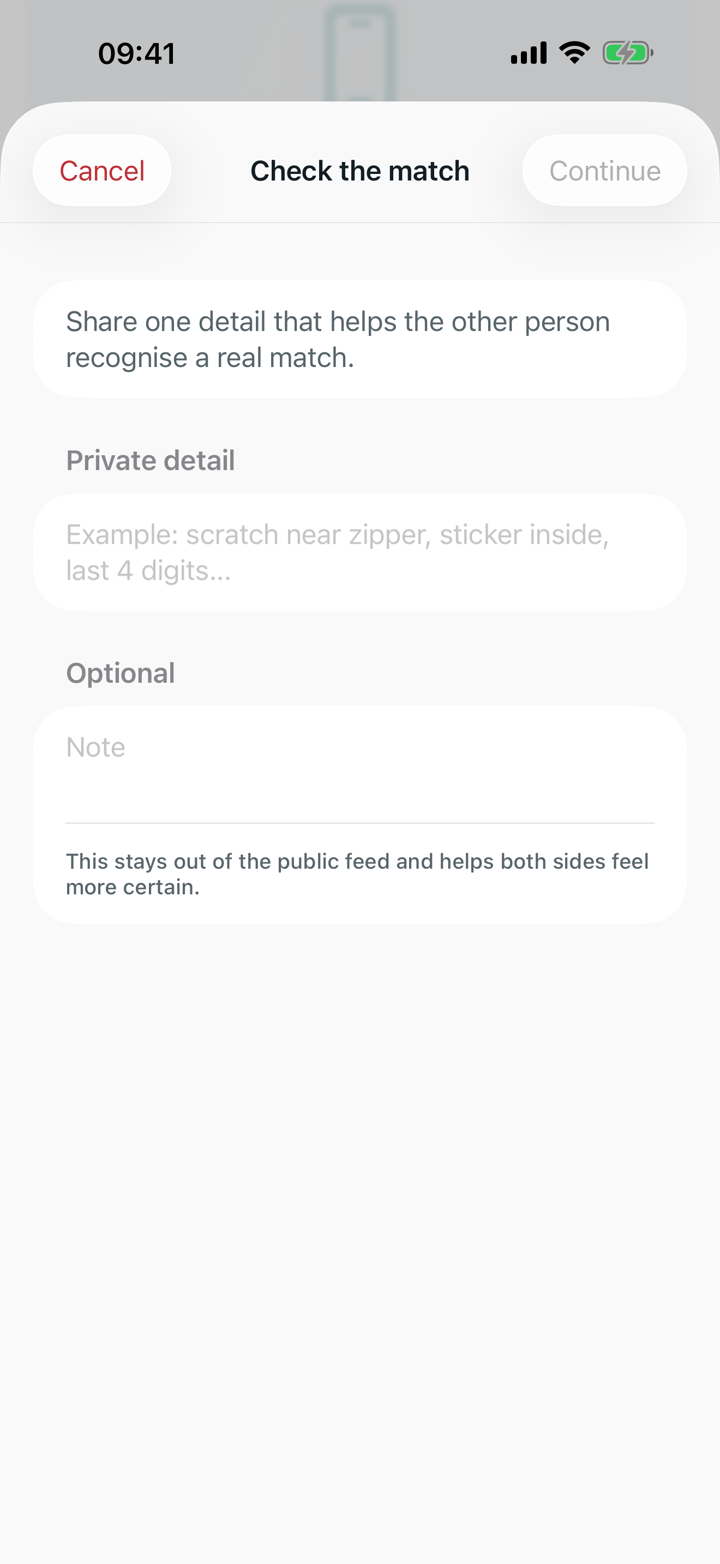
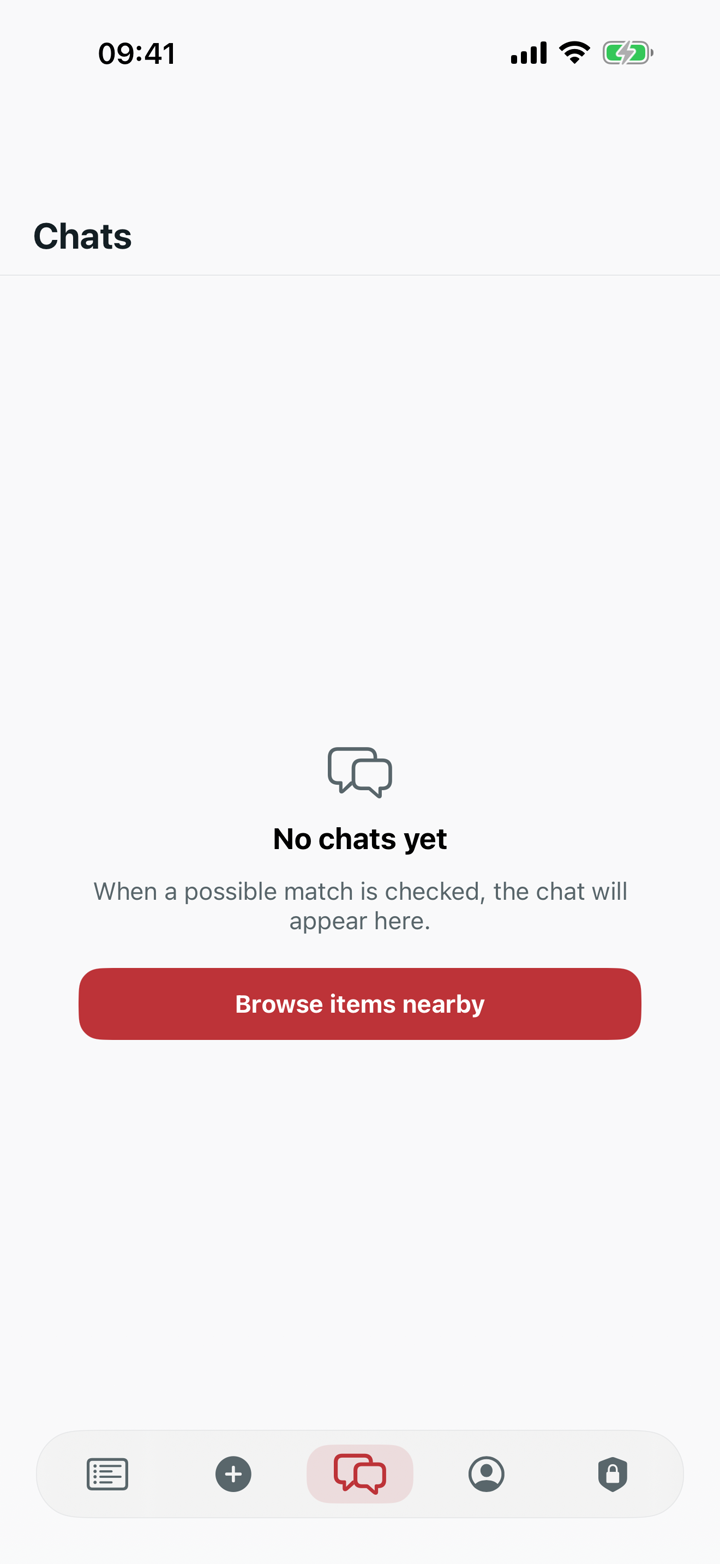
The iPhone app and browser app are live. The public product can be opened directly, rather than judged only from a design preview.
Pinglo compares lost and found reports and alerts the owner when a close match appears.
Less manual searchingA finder can report an item in three taps, then add a private photo if it helps identify the owner.
Lower reporting frictionThe finder’s photo stays out of the public feed until the person claiming the item passes a detail check.
Safer handoverAn open report can be shared as a link, so people outside Pinglo can help look for an item.
Reach beyond the appThe process moved from defining the service to designing core journeys, building and testing the product, preparing launch, and supporting the live release.
Clarify the users, problem, trust needs, and smallest useful product.
Product briefMap the key flows and turn them into an interface that can be built and tested.
UX and UIDevelop the shared service across iPhone and web, review real behaviour, fix issues, and prepare public releases.
Release candidatesPublish the product, support the service, and ship changes around live user and partner needs.
Ongoing product releasesPinglo is live on iPhone and in the browser. People can browse reports, post lost or found items, see possible matches, check claims, message privately and join place-based communities with the same account.
The browser app also gives Android and desktop visitors a way in without an iPhone. Universities can start with a private campus feed, hand-in guidance and safer claim checks; other places can discuss a suitable setup.
Tell us about a customer need, work problem, repeated task, or new product idea. You do not need a technical brief for the first conversation.